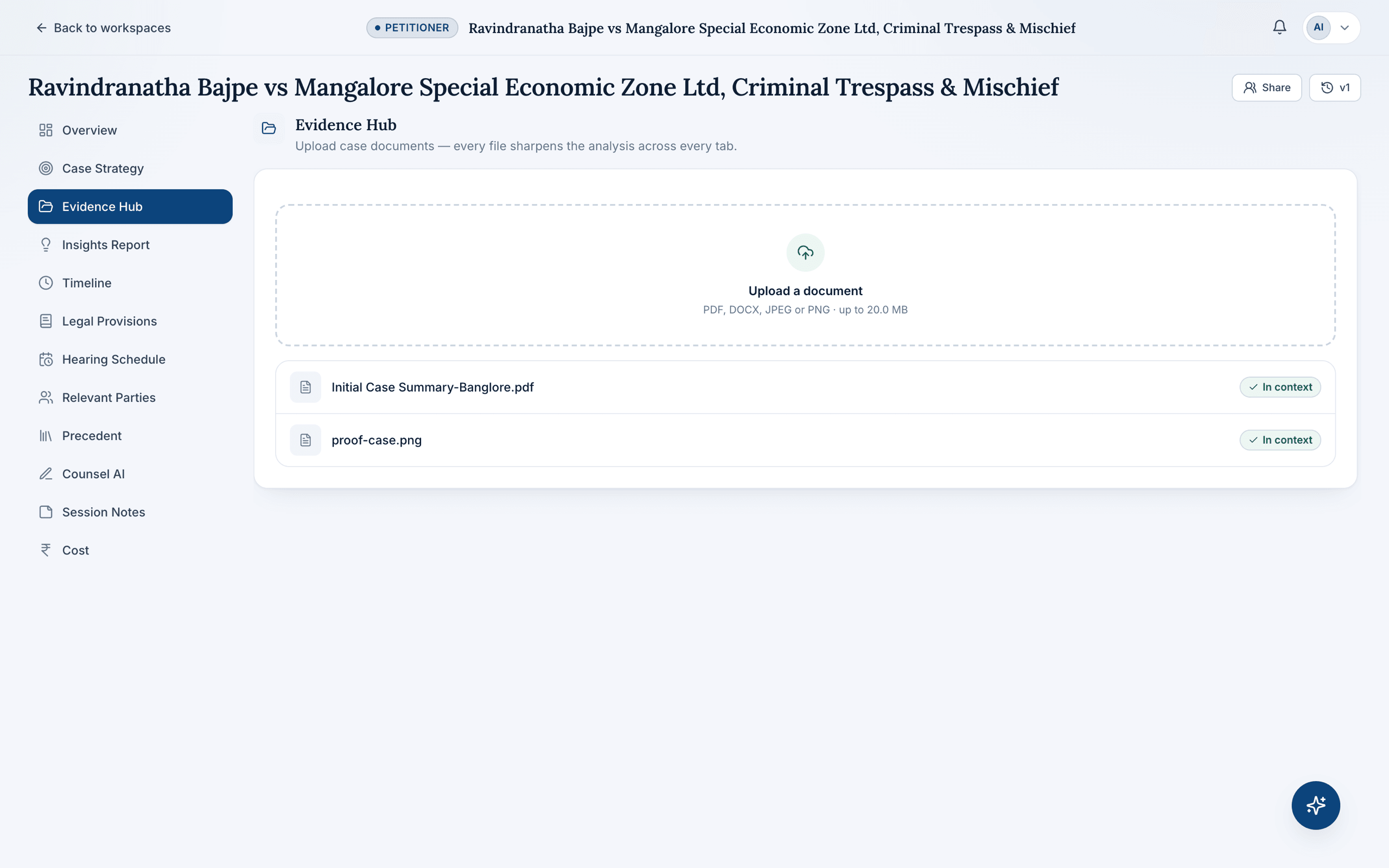
Most “document automation” tools start from a blank template and ask you to fill in variables by hand. CaseDesk starts from the other end: upload the case documents you already have, and the nine-agent pipeline extracts the facts, parties, applicable law, and timeline directly from them — the same information a first draft needs, generated without re-typing anything.
One upload, every panel updated
Every file added to a workspace's Evidence Hub — the initial case summary, supporting evidence, a scanned order — sharpens the analysis across all eight sections of the workspace, not just one. There's no separate step to “automate” a document; the automation is the same pipeline that already built the case strategy.
From extracted facts to a finished draft
Because the facts, parties, and applicable provisions are already extracted, asking Counsel AI to draft a notice or reply doesn't start from zero — it starts from the matter's own record. See AI Drafting for how that drafting step works, and how Indian law firms can reduce paperwork with document automation for the practical case for making the switch.
Related
Frequently asked questions
What file types can I upload?
PDFs, DOCX files, and scanned images (JPEG/PNG) up to 20 MB each. Scanned documents are read with OCR, so photographed or imaged papers work as well as native files.
Does adding more documents improve the analysis?
Yes — every document you add to a workspace's Evidence Hub sharpens the analysis across every panel, from Case Strategy to Legal Provisions to drafting.
Can CaseDesk automate contract generation?
No — document automation here is scoped to litigation documents: notices, replies, and applications grounded in a matter's own facts, not commercial contract templates.