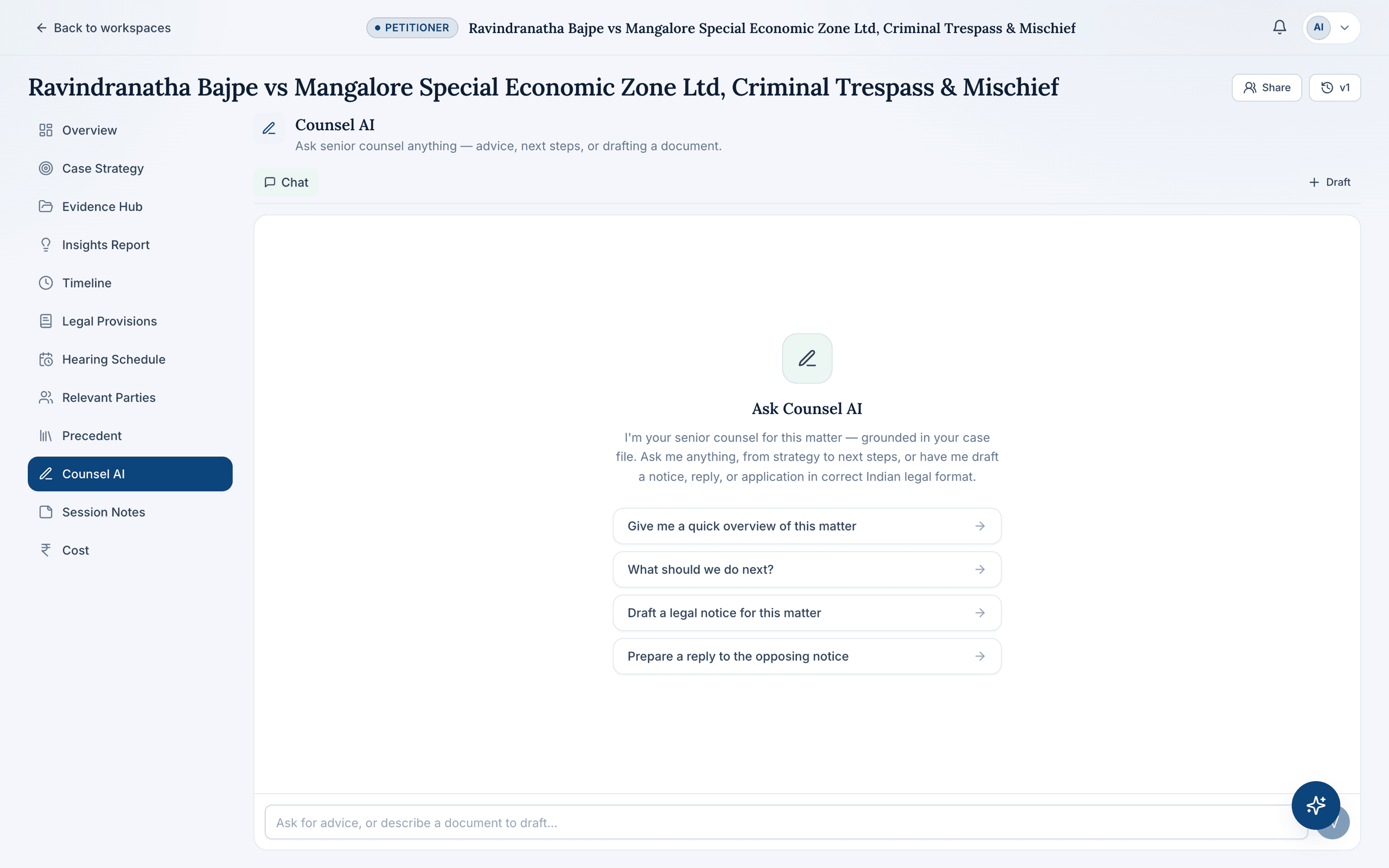
Drafting inside CaseDesk starts from the same place as everything else in a workspace: the documents you've uploaded, and the analysis the nine-agent pipeline has already built from them. Ask Counsel AI to draft a notice, reply, or application, and it writes from that context — the parties, the applicable provisions, and the posture you're working from — instead of a blank template.
Correct format, without starting from a blank page
Indian legal drafting has conventions — how a notice is addressed, how relief is framed, how an application cites the provisions it relies on. Counsel AI produces a first draft in that format, which a lawyer then reviews, edits, and finalises rather than writing from scratch every time.
Version history, not a black box
Every draft Counsel AI produces is versioned, so a partner can see what changed between revisions and roll back if an edit went the wrong direction. Nothing overwrites silently.
Grounded in research, not just facts
Because drafting sits inside the same workspace as Legal Provisions and Precedent, a draft reply can cite the statutes and analogous judgements CaseDesk has already surfaced for the matter — see how to draft a legal notice in India for the general format conventions this builds on.
Frequently asked questions
What kinds of documents can CaseDesk draft?
Notices, replies, and applications in correct Indian legal format. CaseDesk does not draft commercial contracts — drafting is scoped to litigation and pre-litigation documents.
Does the draft use my case's actual facts?
Yes — drafts are grounded in the matter's uploaded documents and the parties, provisions, and timeline CaseDesk has already extracted, rather than generic boilerplate language.
Can I see previous versions of a draft?
Yes — every draft keeps version history so you can review changes and roll back to an earlier version before anything is finalised.